


When we set out to write about the AI tools powering our daily operations, we quickly realised one article wouldn’t do justice to the sheer breadth of what’s now essential to modern business. From image generation to coding assistants, video creation to voice synthesis, the landscape has exploded. So we’re breaking this down into digestible chapters, starting with the foundation of everything we do: Large Language Models and Research Tools.
How We Actually Work With AI
We are long past the "wow" phase of Artificial Intelligence. We are now in the integration phase.
Before diving into specific tools, let’s address something that might surprise those still dipping their toes into AI waters: for us, AI isn’t a tool we occasionally consult. It’s open all day, every day. It’s ambient.
Whether it’s a chat window pinned to the corner of the screen, a desktop application running in the background, or voice mode activated while we’re making coffee, AI has become the colleague that never clocks off. “Hey, can you look this up?” “What does this term actually mean?” “Summarise this document.” These micro-interactions compound into enormous productivity gains over a working week.
We’re not casual users. We maintain top-tier subscriptions across Claude, ChatGPT, and Gemini. We run local LLMs for sensitive work and regularly test different open-source models. And yes, we’re deep into trialling the Chinese models, Qwen, Kimi, GLM, and MiniMax, because ignoring what’s happening in that market would be professionally negligent.
For research specifically, Google NotebookLM has become our absolute go-to, with Perplexity currently in another round of testing (more on our complicated relationship with that one later).
Our Ranking System
We’ve categorised our tools into three tiers:
Must Have - Essential. Non-negotiable. Woven into our daily operations.
On The Watch List - Promising, but not yet proven enough for full commitment.
Cancelled - Tried, tested, and found wanting.
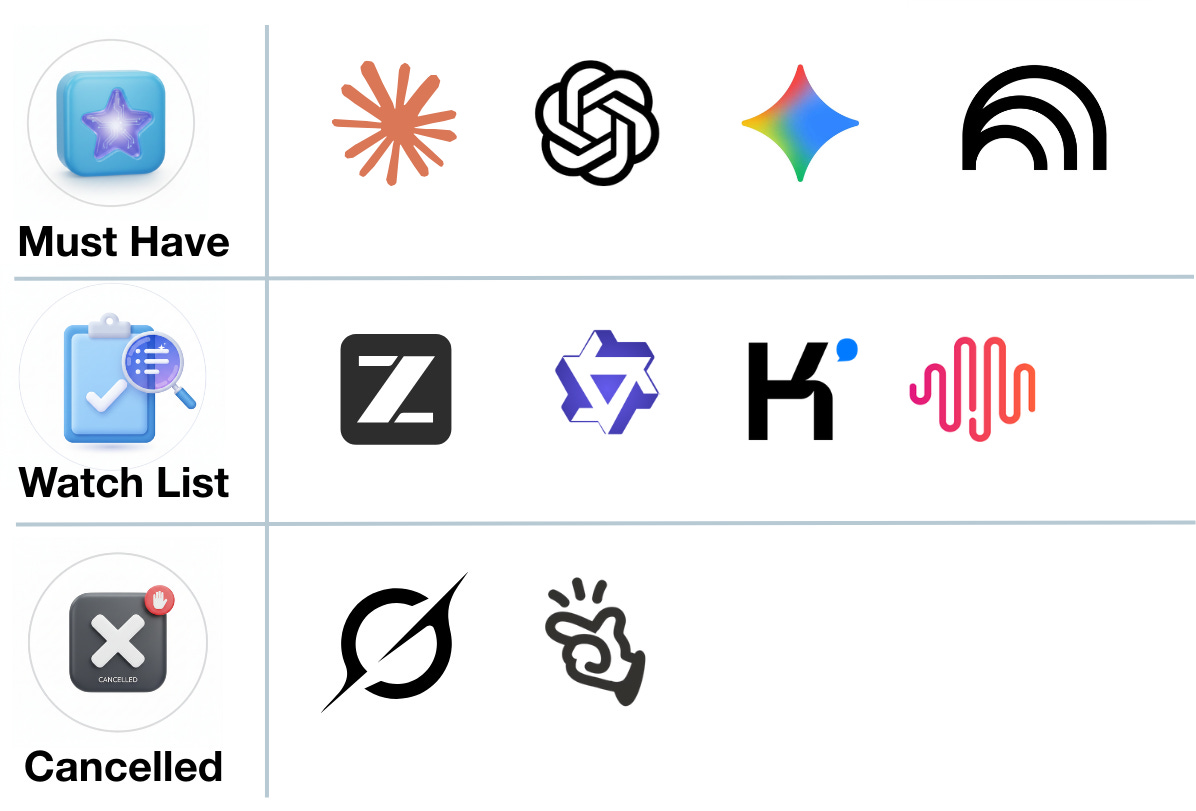
The LLM Big Three: Claude, ChatGPT & Gemini
The Verdict: Must Have (All Three)
Here’s the truth that vendor loyalty won’t tell you: you need all three. We aren’t brand loyal to any of them and we have a love-hate relationship with each of them, but they all excel at different things. Running the same prompt through all three and comparing results has become standard practice, and interestingly, as a side note Perplexity has now built this comparative functionality directly into its offering.
Claude.ai
Claude has genuinely come into its own this year. The introduction of Cowork has been transformative, this isn’t just chatbot interaction anymore; it’s genuine agentic work operating from your local files.
The Microsoft plugins for Excel and PowerPoint deserve special mention. even still in Beta, they’re exceptional, seamlessly integrating Claude’s capabilities where you’re already working rather than forcing context-switching.
Real-World Use Case: Last weekend, I found myself splitting time between parenting duties and pressing work tasks. A large document needed formatting, but we had family plans.
Here’s what I did:
I opened Claude inside PowerPoint, explained the tasks required, told it I’d be away from my desk for three hours, and asked it to gather all the questions and permissions it needed upfront. After a short Q&A and granting necessary accepts, I left for a family afternoon.
I came back three hours later. The work was done.
Similarly, we had five NDAs to prepare. I gave Claude Cowork access to our template, provided the company URLs, and specified the purpose for each. When I returned? Five NDAs, fully detailed, company name, address, company numbers added and ready to send out.
These aren’t hypothetical use cases or demo scenarios. This is handing off real tasks to AI and returning to find them completed. That’s the bar Claude has set.
Gemini
Gemini earns its place through sheer breadth of ecosystem integration. It’s a strong chat model in its own right, but the connections matter: linked to image generation tools, to Veo3 for video, and critically, to Google NotebookLM.
When your AI assistant can seamlessly tap into Google’s entire product suite, from search to workspace to creative tools, it becomes indispensable almost by default. The individual components might not always be best-in-class, but the integration is unmatched.
ChatGPT
ChatGPT occupies an interesting position. Version 4.0 set the standard everyone else chased. Version 5.2 was, frankly, disappointing. We’re hopeful 5.3 brings meaningful improvements.
One genuine frustration: Pro mode’s processing time compared to competitors has become noticeable. When you’re used to near-instant responses, waiting feels like regression.
However, and this is significant, ChatGPT’s Atlas feature, particularly when connected as an AI companion watching over your shoulder, is brilliant. Need to debug a broken AI workflow? Want real-time guidance on where you’re going wrong? Atlas excels here. Google has similar functionality, and Claude’s attempt at this wasn’t particularly strong.
The Watch List: Chinese Models
Kimi, Qwen, GLM & MiniMax
The Chinese AI market is producing genuinely impressive models at significantly lower token costs. For vanilla tasks without sensitive data concerns, they each demonstrate areas of real brilliance.
Kimi: Presentation capabilities are remarkably good. The agentic swarm approach to market research produces surprisingly thorough results.
Qwen: Lightning fast. When speed matters more than absolute accuracy, Qwen delivers.
MiniMax & GLM-5 (z.ai): Each with their own strengths, worth testing against established players on specific task types.
The Challenge: Hallucinations remain the critical weakness. Even when explicitly requesting referenced sources, these models forge links convincingly. When you’re spending as long fact-checking outputs as you would have spent researching manually, the productivity promise evaporates. That’s the tipping point we keep hitting.
For now, we’re testing these on smaller task subsets, useful for benchmarking, interesting for exploration, but not yet ready for production workflows where accuracy is non-negotiable.
Cancelled: What Didn’t Make the Cut
Grok
Grok arrived with enormous promise. Multi-agent workflows. Federated approaches. A study-group methodology to answering queries. The concept was genuinely innovative.
Three problems killed it for us:
First: Even on top-tier subscriptions, responses were never detailed enough or high-quality enough for business applications. When you’re paying premium prices, you expect premium outputs.
Second: Compare the Grok Reddit page to other which will give you a pulse for how people use it. What should be discussions about coding, business applications, and productivity has been overwhelmed by NSFW image generation content. Even the voice modes trend toward “unhinged” configurations. That’s not the community or product direction we want to align with.

Third: Cost. Grok became the most expensive option across our entire AI stack without the output quality to justify the premium.
Manus
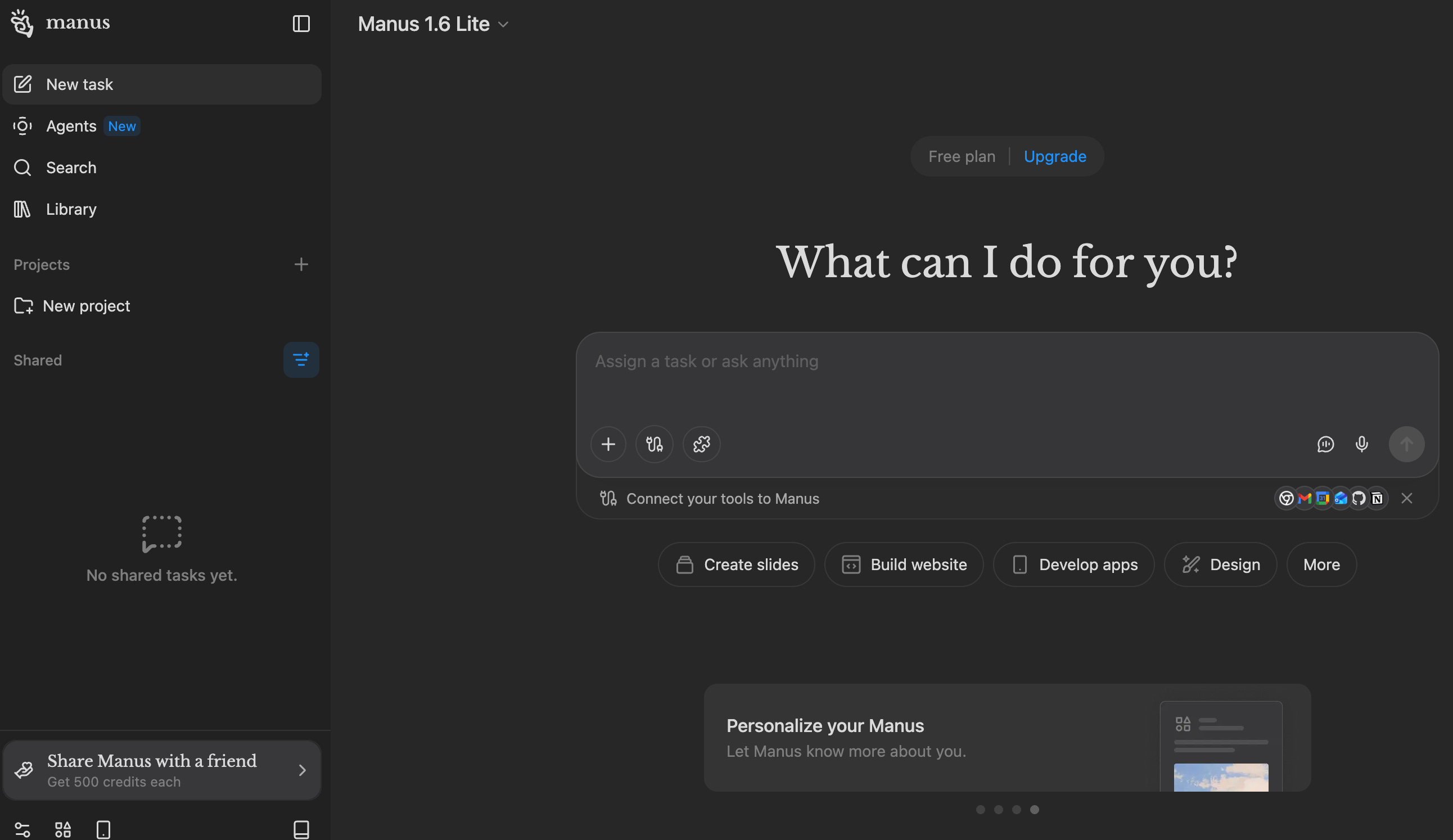
Manus a Singapore-based startup (recently acquired by Meta for $2bn) that started brilliantly. Innovative approaches, genuine excitement about the product direction, thinsg we had never seen before (this was 12 - 18 months ago).
Then rivals did it better and cheaper. For the price point, we moved on. Perhaps Meta’s acquisition will revitalise the platform, but for now, it’s not earning a place in our toolkit.
Research Tools: The Game-Changers
Google NotebookLM - Must Have
NotebookLM is simply the best research tool available. Full stop.
For those unfamiliar: NotebookLM allows you to upload documents, websites, and various data sources, then interact with that corpus through natural language. It’s not just answering questions, it’s synthesising information from your specific sources with remarkable accuracy.
Recent expansions have taken it further. Beyond chat-based Q&A, NotebookLM now generates:
Video summaries
Podcast-style audio content
Comprehensive reports
Presentation decks
One great use case I use a lot - give it a youtube video link and then ask anything about the content of that video - imagine its a 3 hour video (who has time to watch those) - you can get the key takeaways, or ask it about the part you’re specifically interested.
Honest assessment: the videos and podcasts are interesting novelties but not particularly helpful for business use, too little control over output. However, the presentations and reports are excellent.
Example slide from a featured notebook.
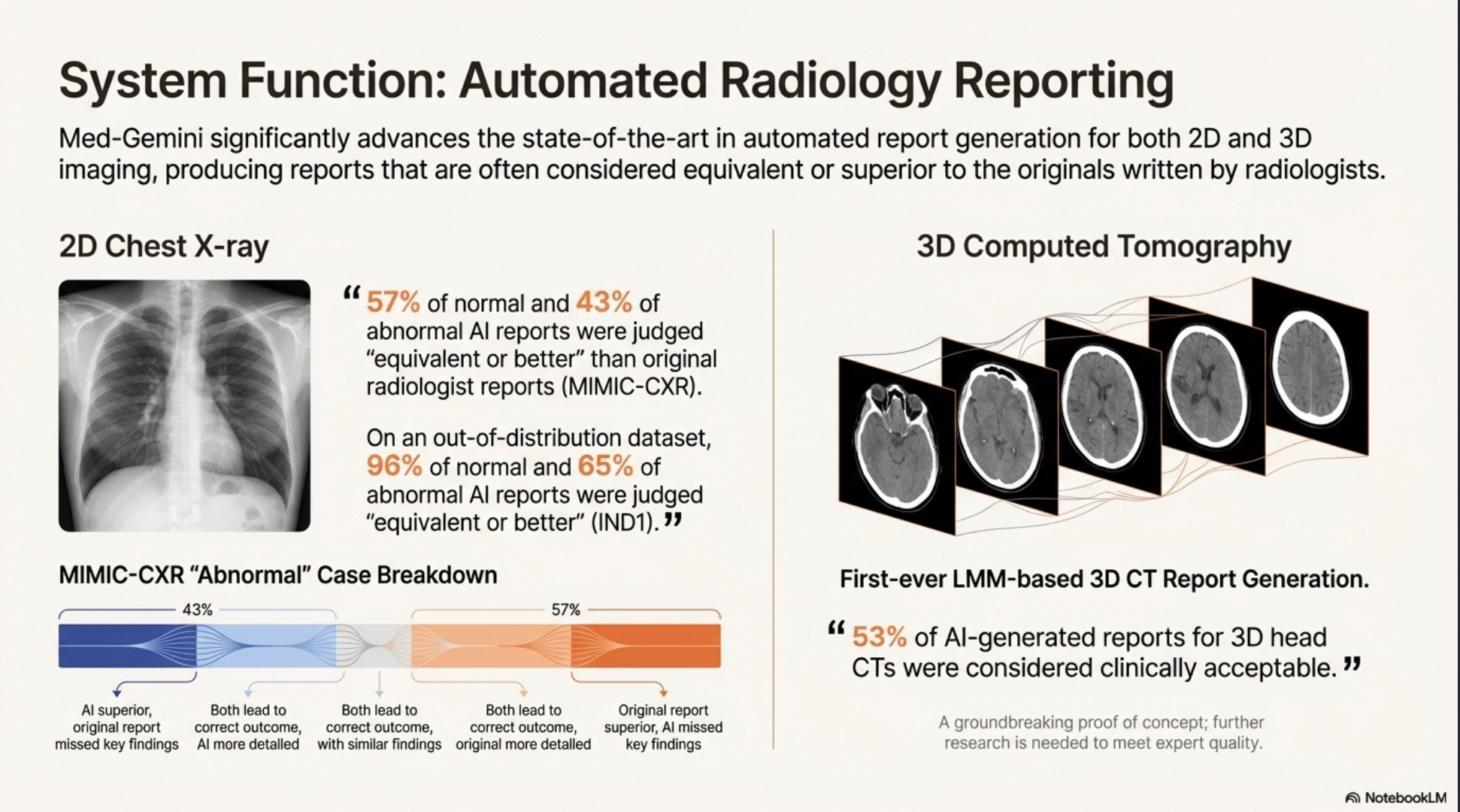
Our Presentation Use Case: We use NotebookLM to see designs emerge from data. The output is PDF (non-editable), but that’s actually fine, what we’re getting is creative direction. With image generation plugged in, the design layouts and visual choices are genuinely impressive. No paid presentation tool we’ve tested competes on creativity or quality. Yes, dedicated tools give you editable PowerPoint files rather than PDFs, but the quality difference is night and day. We’ll take inspiration over editability.
Perplexity - On The Watch List
Our relationship with Perplexity is... complicated. We use it, cancel it, use it, cancel it. Currently, it’s renewed through February, with March decision pending.
What works: The configured morning briefs are genuinely valuable. The additional capabilities they’re rolling out show real product thinking. The new comparative LLM feature (running prompts across multiple models simultaneously) addresses a real workflow need.
What gives us pause: Can we achieve similar results by refining prompts with our existing LLM subscriptions? Probably. Unlike the Big Three, Perplexity isn’t a no-brainer renewal. It’s proving value, but not yet proving indispensable.
The Bottom Line for Business Users
If you take nothing else from this article, take these three recommendations:
Google NotebookLM - Focused, exceptional at what it does. The deliverables it creates (reports, presentations) are outstanding even if output formats are inflexible. The PDF or final-cut nature of exports is a minor frustration against genuinely impressive quality.
Claude - The Microsoft plugins are exceptional. Cowork represents genuinely agentic AI that operates from your local files and completes real tasks autonomously. The use cases we described, leaving for hours and returning to completed work, aren’t edge cases. That’s Tuesday.
The Big Three Together - Claude, ChatGPT, and Gemini each have strengths the others lack. Running comparative prompts across all three has become standard practice. Committing exclusively to one means accepting blind spots.
Coming Next
This is part one of our AI toolkit breakdown. Future articles will cover:
Image Generation - Midjourney, Nano Banana, and the evolving landscape
Video Creation - Veo 3, Sora, Kling, Runway and what actually delivers
Coding Assistants - Claude Code, Codex, Cursor, and the developer experience
Automation Platforms - N8N, Zapier, Crew.ai, Gumloop and building workflows
Voice & Audio - ElevenLabs, Murf, and the voice synthesis revolution
AI Avatars - HeyGen, Hedra, Syntheisa, Descript and virtual presenter tools
The landscape moves fast. We’ll keep testing so you don’t have to test everything yourself.
Have questions about our AI stack? Tools you’d like us to evaluate? Drop us a message, we read everything (well, Claude helps with that too).